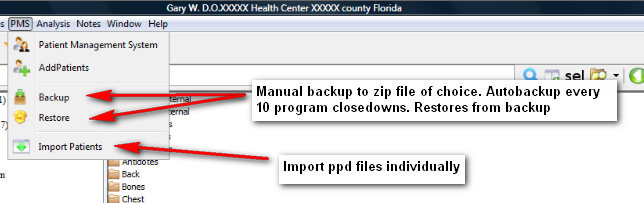
Managing the patients
The PMS is an intuitive integrated module that allows a full record of patient details including personal details, case notes, photographs, repertorization results and prescriptions.
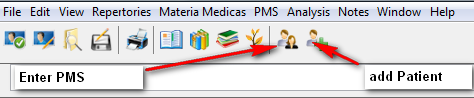
Adding new patients into PMS
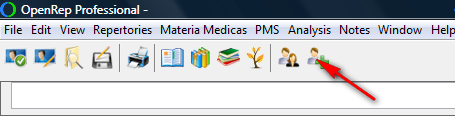
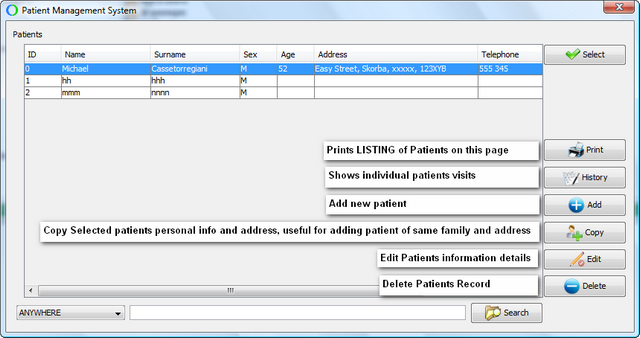
The Patient information screen will then open. Fill in the details that you require for your patient records.
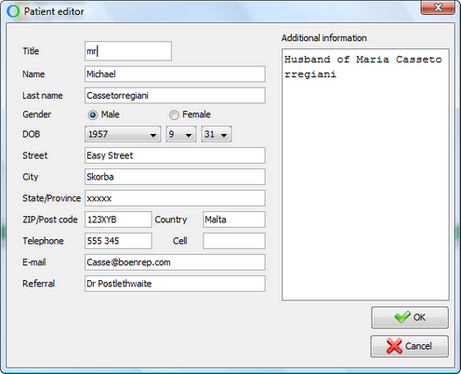
When completed, click on OK.
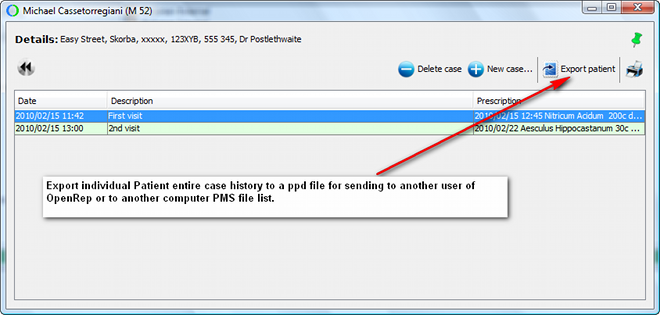
A new screen will open up in the name of the patient. Click on new case
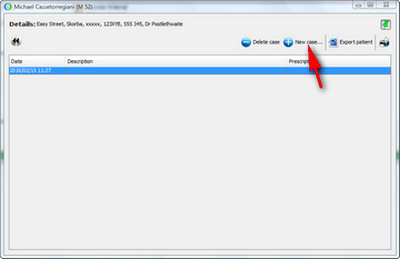
Input the case either by typing in or importing text from a file
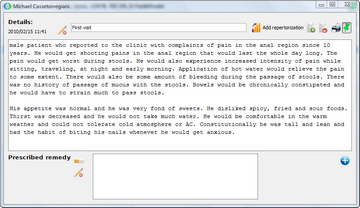
Once the case is in the dialogue box, reportorization can be done with the chosen repertory in the normal manner.
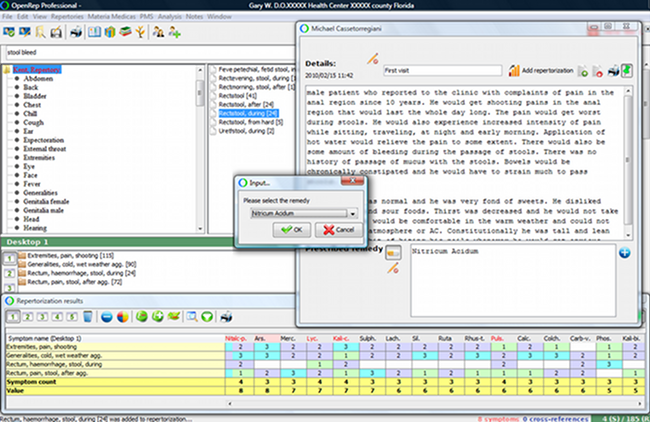
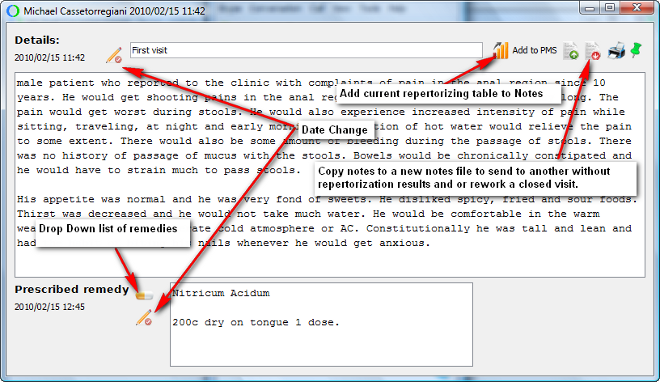
The remedy choice can be selected by clicking on the  button where a drop down menu of the remedies within the rubric selected repertorization screen will appear in descending order as contained within the table. Once remedy is selected, the potency, method of dispensing and frequency of dosage can be entered.
Once the visit is completed by entering the remedy, the individual case is closed and locked. This was a deliberate choice made to protect the integrity of accurate patient records without alteration at a later date.
Provision was made for the following circumstances. Should the case taking and analysis of the case be made at separate times, as long as a prescription has not been entered, the case will remain open for insertion of further notes if awaiting more details. Once a prescription has been arrived at, by clicking:
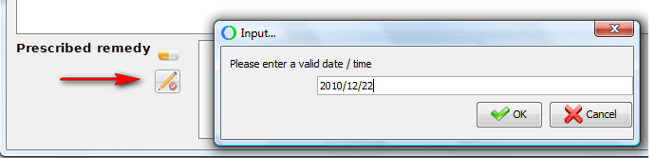
and entering the date OF PRESCRIPTION, a file will be appended to the case showing the case taking date and date of prescription.
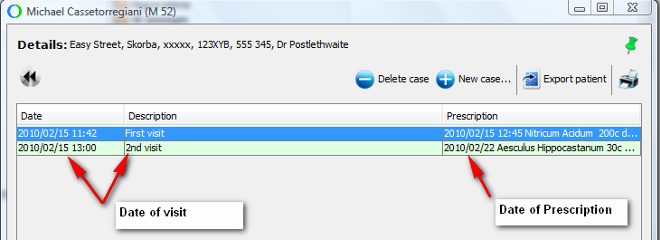
This visit will then be locked to preserve the integrity of the case files.
PMS icons and their usage
Any icon that is self explanatory or has detailed instructions within the usage is omitted from this list.